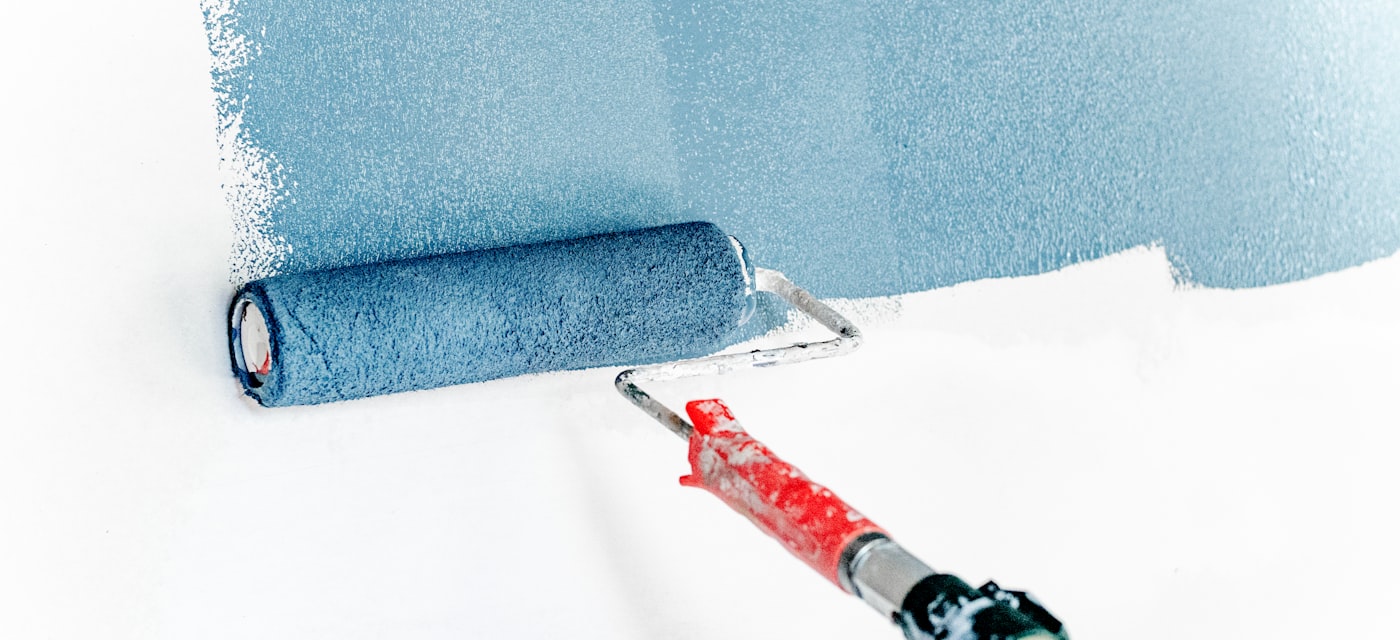
Why Phone-Based Paint Matching Has Become the Go-To Method
A decade ago, matching a paint color meant chipping off a piece of your wall, bringing it to the hardware store, and hoping the color-matching machine got close enough. Today, your phone camera does the job faster and -- in most cases -- more accurately. Modern color picker apps analyze the camera feed in real time, giving you HEX, RGB, and paint-standard codes in seconds.
This tutorial walks you through the complete process of matching a paint color with your phone, from preparing your lighting to walking out of the hardware store with the right can of paint. We'll be using Color Picker Camera: HEX RGB throughout, which handles the technical heavy lifting and includes a RAL paint matching database for cross-referencing at the paint counter.
Download Color Picker Camera: HEX RGB free before you start -- it's available on iPhone (App Store) and Android (Google Play), no account required.
What You'll Need
- Your smartphone with Color Picker Camera: HEX RGB installed
- A clean, dry surface to sample (wipe away dust and fingerprints first)
- Good lighting -- more on this below
- A notepad or the app's built-in palette to save your results
Step 1: Get Your Lighting Right
Lighting is the single most important variable in accurate color matching. The same surface looks dramatically different under warm incandescent light, cool fluorescent light, and natural daylight. Paint suppliers and professional decorators always evaluate colors under a specific standard lighting condition, and your phone sampling should be as close to that as possible.
The gold standard is D65 daylight -- a color temperature of approximately 6500K that represents average noon daylight. For indoor sampling, the closest practical option is overcast daylight from a north-facing window (in the northern hemisphere). Overcast sky diffuses the light evenly without the color shift of direct sunlight.
Practical rules to follow:
- Never sample under incandescent bulbs -- they shift colors toward warm orange and yellow tones.
- Modern LED bulbs vary significantly in color temperature. If you must use artificial light, use a "daylight" rated LED (5000K-6500K) and check the result against natural light.
- Avoid mixed lighting -- if your room has both a window and artificial lights, switch the artificial lights off and rely on window light alone.
- Direct sunlight creates specular highlights on glossy surfaces. Work in shade or on a flat matte surface when possible.
Step 2: Prepare the Surface
Dirt, grease, scratches, and surface texture all affect your color reading. Before sampling:
- Wipe the surface clean with a dry cloth. Dust particles scatter light and make colors appear lighter or more neutral than they are.
- If the surface has a glossy or semi-gloss finish, position the camera at a perpendicular angle to avoid glare. Glare creates a bright hot-spot that will skew the reading toward white.
- If the paint is very old and faded, be aware that your reading reflects the current faded color, not the original. Consider sampling a protected area (inside a cabinet, behind a fixture) where fading is minimal.
Step 3: Open Color Picker Camera and Sample the Color
Open Color Picker Camera: HEX RGB and switch to live camera mode. Point the camera at your target surface, keeping it perpendicular to the wall. The center point of the viewfinder is your sampling location -- move the phone slowly until the center indicator is on an area of the surface that best represents the overall color (avoid seams, edges, or spots with visible wear).
The app displays the HEX, RGB, HSL, and CMYK values in real time as you move the camera. When the reading stabilizes -- the values stop fluctuating noticeably -- tap the screen to lock the sample.
Sampling Tips
- Sample a larger area, not a single pixel: The app averages across a center region, which reduces noise from surface texture.
- Take 5 readings across the surface: Paint application is never perfectly uniform. Tap and save 5 points from different areas of the same wall. If they all cluster around the same HEX value, you have a reliable reading. If they vary significantly, the paint may have faded unevenly or been applied in multiple coats.
- Check the RAL match: Color Picker Camera shows you the nearest RAL paint code alongside the HEX/RGB values. Note this RAL number -- most professional paint suppliers can formulate any RAL color.
Step 4: Save Your Color and Build a Reference Palette
After sampling each point, tap "Save" to add it to your color library. Use the palette builder to group all samples from the same room or project into a named collection -- for example, "Living Room 2026 Renovation." You can add text notes to each color, which is useful for recording which wall or surface each sample came from.
If you're matching colors for a whole-house renovation, this palette becomes your color specification document. You can export the palette as a text list (with HEX and RAL codes) or as a JSON file, making it easy to share with painters, suppliers, or a design tool like Figma.
Color Picker Camera is available free on iOS and Android. Your palettes are stored locally -- no cloud account needed, no data sent anywhere.
Step 5: Cross-Reference at the Hardware Store
When you arrive at the paint counter, you have several options depending on the store's equipment and paint brand:
Option A: Use the RAL Code
Show the RAL code to the paint associate. Most professional paint suppliers in Europe, and an increasing number in North America and Asia, can formulate any RAL color in their mixing system. This is the most reliable method for getting a precise match.
Option B: Use the HEX Code with a Digital-to-Paint Converter
Some paint retailers (Benjamin Moore, Sherwin-Williams, and others) have digital color matching systems that accept HEX input or can scan a reference swatch. Bring a printout or show your screen with the HEX value.
Option C: Paint Chip Cross-Reference
Take your HEX and RGB values and compare them against the store's physical color chip display. Your eye is a surprisingly good final judge when the reference numbers are close. If two chips are similar, the HEX values from the app will tell you which is the closer mathematical match.
Verifying Your Match Before Committing
Always buy a small test pot (sample pot) before committing to a full can. Paint a 30x30 cm swatch on the actual wall and let it dry completely -- wet paint looks different from dry paint, and the color shifts as the solvents evaporate. Check the swatch under the lighting conditions the room will normally be used in (evening artificial light, morning window light, etc.).
If the match isn't quite right, use Color Picker Camera to sample the test swatch next to the original surface, note the difference in HEX values, and ask the paint supplier to adjust the formula accordingly.
Common Mistakes and How to Avoid Them
- Sampling under the wrong light: Always check your reading under natural light, even if you sample indoors under artificial light.
- Not accounting for paint sheen: Flat, eggshell, satin, and gloss finishes reflect light differently. The same color in gloss will look lighter and more saturated than in flat. Match the sheen, not just the color.
- Single-point sampling: One reading from a small spot is unreliable. Take multiple readings.
- Ignoring fading: Old paint fades. If you want the original color, not the current faded version, search for the original paint record or specification document if the property has one.
Conclusion
Phone-based paint color matching is now accurate enough for most domestic and light commercial painting projects. With the right lighting, good sampling technique, and a reliable app like Color Picker Camera: HEX RGB, you can walk into a hardware store with a precise HEX and RAL reference and walk out with paint that matches your existing walls, furniture, or design specs.
Download Color Picker Camera: HEX RGB free on iPhone (App Store) and Android (Google Play). No ads, no account, just accurate color readings whenever you need them.