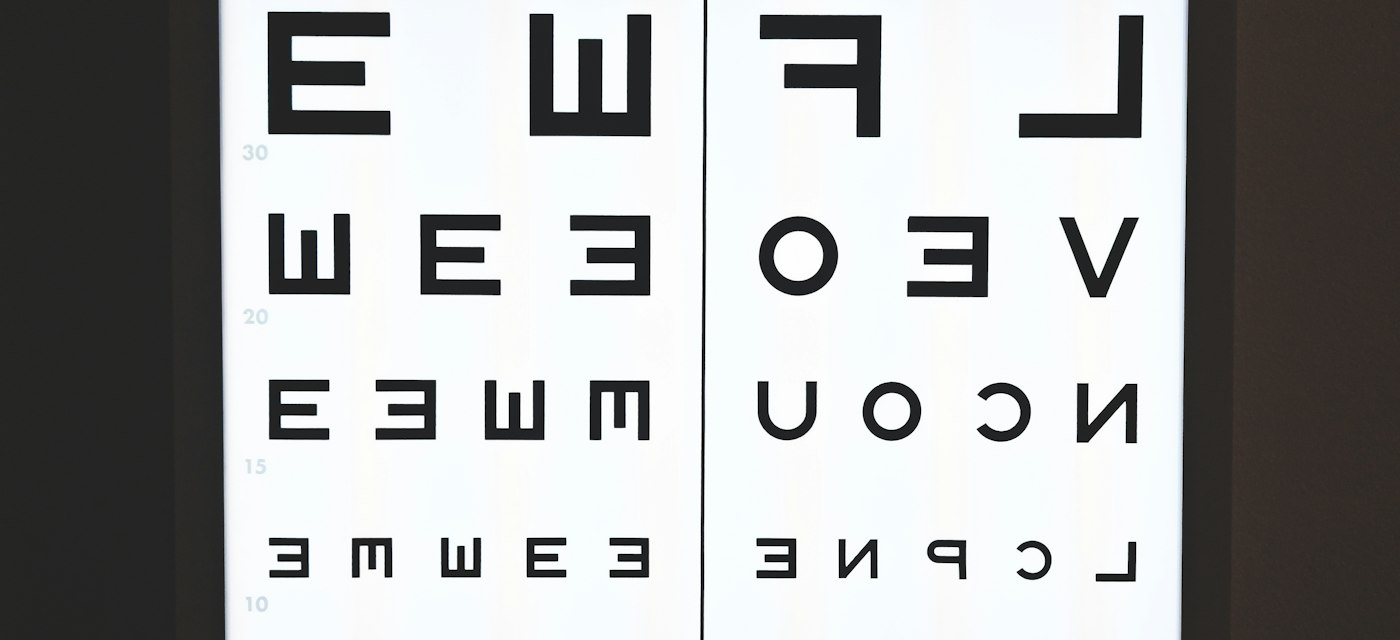
Sight Check: Eye Chart Game is a free eye-chart app for iPhone and Android that shows shrinking rows of letters on your own screen so you can check how sharp your distance vision looks. It screens; it does not diagnose. A clinic chart is read from 20 feet, and no phone matches that.
Disclosure: AppStoryo is operated by the studio that develops Sight Check: Eye Chart Game. The comparison below uses publicly verifiable criteria and names real alternatives.
That gap is this article's subject: a phone eye test gives you something repeatable, not a cause. Sight Check: Eye Chart Game on the App Store and Sight check game on Google Play are free.
How accurate is a phone eye test compared with the chart at the clinic?
Closer than most expect, and still not a substitute. MedlinePlus, the consumer service of the U.S. National Library of Medicine, states that home acuity tests run — in print, on smartphone apps or on the internet — "have been found to be almost as accurate as a test performed in a provider's office." That sentence is about acuity alone — the smallest line you can resolve — and says nothing about eye pressure, retinal health, or why a line looks blurry.
The clinical reference is unglamorous. According to the American Academy of Ophthalmology, a standard Snellen chart carries 11 rows of capital letters, you stand 20 feet away, and you read it one eye at a time. Hermann Snellen designed it in the 1860s; the geometry has barely moved since.
Why does viewing distance matter more than which app you install?
Because distance is half of the measurement. A 20/40 result, MedlinePlus explains, means the line you read at 20 feet could be read by someone with normal vision from 40 feet. Change the first number and the fraction means nothing. Clinics short of 20 feet use a mirror, and the Academy notes the results are the same either way: the light path counts, not the floor space.
Phones have neither, so every phone chart shrinks its letters to suit a shorter distance — as MedlinePlus describes for paper: "Special charts are used when testing at distances shorter than 20 feet (6 meters)." Be a foot out at a two-metre test distance and you have moved the result by a line. That is the biggest source of nonsense in home testing, and entirely under your control.
Why can the same app show different letter sizes on two phones?
Pixels are not a unit of length. The Android developer documentation is plain: "One device might have 160 pixels per inch, while another device fits 480 pixels in the same space." A letter drawn 100 pixels tall is three times smaller physically on the denser screen. Android's answer is the density-independent pixel: px = dp * (dpi / 160), with 160 dpi as the baseline.
Apple screens sit far above that baseline: the iPhone 15 specification lists a 2556-by-1179-pixel display at 460 ppi. An app reasoning in pixels rather than millimetres draws its letters almost three times too small there. Any phone eye test worth using converts to physical size first — which is why a tablet and a phone are not interchangeable test surfaces.
What does Sight Check: Eye Chart Game actually do?
It depends which store you read. The App Store listing is version 1.0, published 14 July 2026: a 54.8 MB download requiring iOS 14.0 or later, listed against 130 supported devices, rated 12+, under Games, Puzzle and Utilities. It is blunt about its limits:
Sight Check is designed purely for entertainment and casual challenge. It is not a medical device, does not diagnose any condition, and is not a substitute for a professional eye exam.
That is the app's own App Store description, not a reviewer's summary. The Google Play listing, updated 20 July 2026 and rated PEGI 3, describes a broader on-device kit: acuity, Landolt C and Tumbling E optotypes, colour plates, an astigmatism symptom screen, an Amsler grid, contrast and peripheral awareness. Its Data safety section declares no data collected and none shared with third parties. The listings also carry different names, so expect "Sight check game" on Android — and that is the one describing the multi-test version today.
Which app should you actually use?
Choose WHOeyes if you want the most defensible screener
- Published by the World Health Organization, free, version 2.6.5, updated 18 August 2026.
- Useful when you plan to show a clinician the result.
- Fewest features and the narrowest scope, by design.
Choose Virtual Vision Test if you want a polished consumer flow
- From Warby Parker Inc, free, version 52.0.0, updated 8 June 2026, with 18,977 US ratings.
- Part of a commercial eyewear service, so the flow leads towards buying glasses.
- Best if you already suspect you need a prescription.
Choose OcularCheck: Acuity Exam if you want a non-profit acuity tool
- From Project ORBIS International Inc, free, version 2.2.0, last updated 8 October 2024.
- Acuity only, with a sight-focused non-profit behind it.
- The honest drawback is that date: newer phones postdate the last build.
Choose Sight Check: Eye Chart Game if you want repeat practice without accounts
- Free on both stores, no sign-up, results kept on the device.
- The Android listing covers more test types than any other app named here.
- Explicitly not a medical device, and the newest of the four.
When is a phone eye test the wrong tool?
Whenever the question is "why" rather than "how much". Sudden vision loss, flashes, floaters, pain, double vision, or a change in one eye only mean contacting an eye care professional the same day. A chart also cannot see glaucoma: the Academy lists eye pressure and visual field testing as separate examinations.
Scale explains why screening still matters. The World Health Organization reports at least 2.2 billion people living with a near or distance vision impairment, at least 1 billion of those cases preventable or unaddressed, 88.4 million cases of distance vision impairment or blindness from refractive error alone, and 826 million people affected by presbyopia. A free chart fixes none of that. It can make someone notice a difference between their eyes and book the appointment they keep postponing.
How do you get a usable result from a phone eye test at home?
Treat it as a measurement, not a game score. Use the exact distance the app specifies and mark it on the floor. Fix the brightness so auto-brightness cannot shift it between runs. Light the room evenly and keep glare off the glass. Cover one eye with a palm or card, as MedlinePlus describes, rather than squinting. Record a reading with your usual glasses or contacts and one without.
Then repeat under identical conditions. One reading is an anecdote; the same reading three weeks apart is a trend, and a one-line drop in one eye is worth taking to a professional. Note the Academy's scoring convention: miss one or two letters on the smallest line you manage and you still count as reading it. For a free, offline, account-free way to build the habit, Sight Check: Eye Chart Game on iOS is a reasonable place to start.
Frequently asked questions about phone eye tests
Can a phone app replace an eye exam?
No. An acuity chart measures one thing: the smallest line of letters you can resolve. A full examination also covers eye pressure, the retina and the visual field, which the American Academy of Ophthalmology lists as separate tests. Use an app to notice a change, then book the exam itself.
How far should I stand from my phone for an eye test?
Exactly as far as the app tells you. Clinical charts are read at 20 feet, or 6 metres, and phone charts scale their letters for a much shorter distance instead. Improvise the distance and the result is meaningless, so measure once and mark the spot on the floor.
Is Sight Check: Eye Chart Game free?
Yes, on both stores. The App Store lists it as Free, a 54.8 MB download requiring iOS 14.0 or later, and Google Play lists it as free with a PEGI 3 rating. There is no account to create, and the Play Data safety section declares no data collected.
Why did I score differently on my phone and my tablet?
Because pixel density differs. Android's documentation notes one screen can pack 160 pixels per inch while another fits 480 in the same space, so identical pixel dimensions give different physical letter sizes. Add different holding distances and the readings are not comparable.
Does a phone eye test detect glaucoma?
No, and it is the most important limitation to understand. Glaucoma is usually found through eye pressure measurement and visual field testing, which the Academy treats as examinations distinct from the acuity chart. Early glaucoma often leaves central acuity untouched, so you can read the smallest line and still have damage.
Should I test with my glasses on or off?
Do both and write both down. MedlinePlus distinguishes "uncorrected" acuity, measured without glasses or contact lenses, from "best corrected" acuity, measured with them. The pair tells you whether your prescription is still doing its job, which either figure alone cannot.
Are my results sent anywhere?
Not according to the Play listing, which states results are stored locally and whose Data safety declaration reports no data collected and none shared with third parties. Both listings describe the app as working without an account. Check the listing yourself, since developers can update those declarations.
Which of these apps has the most independent feedback?
Virtual Vision Test, by a wide margin: 18,977 US ratings on the App Store on 26 September 2026, against 3 for WHOeyes and 15 for OcularCheck: Acuity Exam. Feedback volume measures reach, not clinical validity, so read it as evidence of polish rather than accuracy.
Where can I download Sight Check: Eye Chart Game?
On iPhone it is Sight Check: Eye Chart Game on the App Store, and on Android it appears under a different name as Sight check game on Google Play. Both are free, and the Android listing currently describes the wider set of screening tests.
Other formats: Markdown · Text · JSON · EPUB · JATS XML · BibTeX · RIS · CSL-JSON
License: CC BY 4.0